
Start with a real session
Agent Quest runs alongside your existing coding tools. Start it on the computer where your Claude Code or Codex session logs are stored, then continue working in those tools. The dashboard reads supported local session activity and updates a village in your browser. It does not send your prompts or launch your coding tasks for you.
For a first experiment, use a small project you know. Ask your coding tool to explain one source file without changing it. Keep the terminal and Agent Quest visible. Look for the corresponding session in the party bar and inspect its details. This gives you a recognizable activity to compare with the visualization.
Read the buildings as an activity map
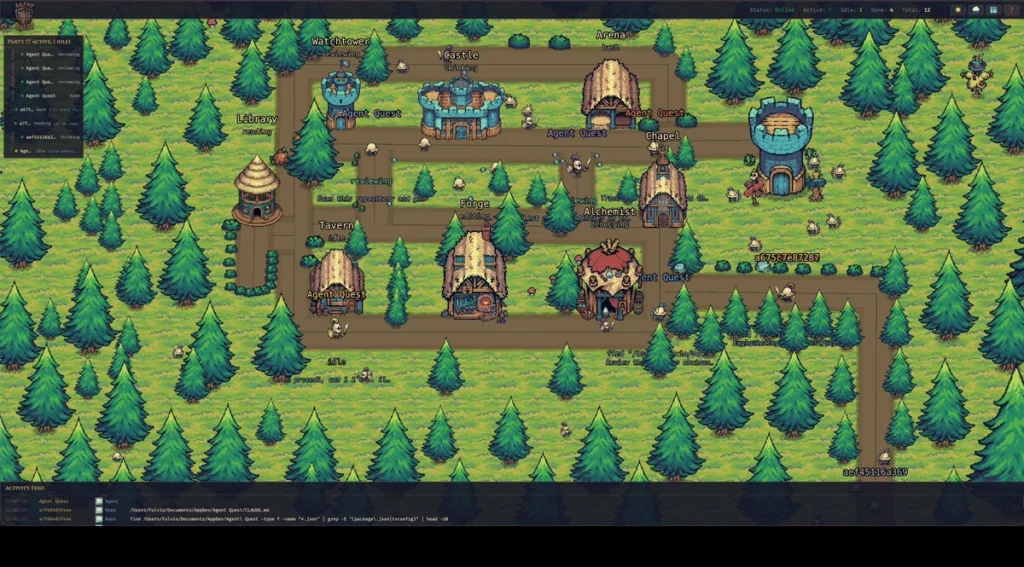
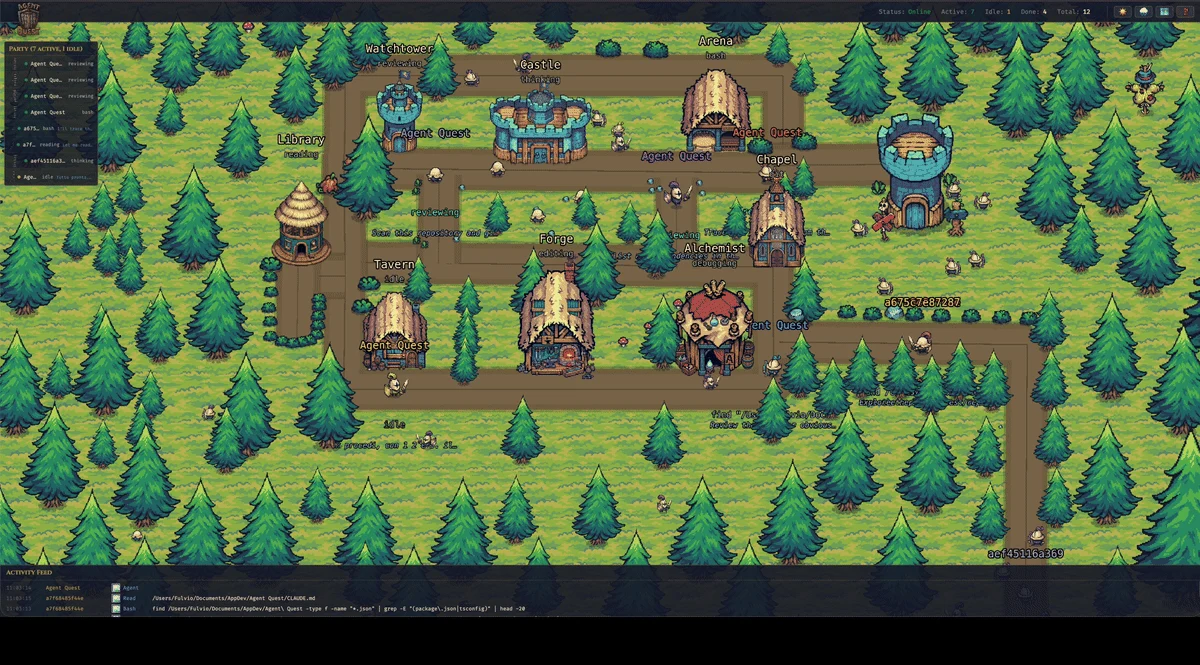
The Library represents reading and searching; the Forge represents editing and writing. Shell commands appear at the Arena. Other activity categories have their own destinations, including thinking, reviewing, Git operations and idle time.
Imagine a session that reads a component, edits it, then runs a test. Its activity can move from Library to Forge to Arena. This is an illustration of the mapping, not a promise that every tool invocation will be visible as a separate journey: log updates, activity changes and animation happen at different speeds.
The useful question is “Which session deserves a closer look?” A hero remaining at one building is a reason to inspect details, not evidence that the agent is stuck.
Use the details before drawing conclusions
Select a hero or its party entry to examine that session. The detail panel gives context such as status and, when available for a live session, the current file, command or latest message. The activity feed helps connect changes in the scene to reported actions.
Return to the original coding tool to answer a question, inspect a test failure or review a proposed change. A dashboard status is not a code review, and a completed session is not proof that its result is correct. Keep your normal verification steps.
Know where the data comes from
The documented setup discovers Claude Code project logs under supported ~/.claude* directories and Codex rollout files under ~/.codex/sessions/. A session running on another machine does not automatically appear just because you open the dashboard there.
Codex support is documented as tested on macOS; other operating systems have not been confirmed for that provider. Agent Quest itself also documents a manual installation path for Linux and Windows through WSL2. Check the repository’s current platform matrix before choosing your setup.
Start with one visible session, then add a second project once the connection is clear. The next guide walks through that first installation.
Based on the project README and source at revision 6c32b29, reviewed 10 October 2026. Check the current repository for later changes.
Try it with your own sessions
Next: Set Up Agent Quest on macOS: From Installation to Your First Agent