
From the village to the session’s context
Agent Quest represents local Claude Code and Codex sessions as characters in a village. Version 0.3.0, released on GitHub on 15 October 2026, adds tools for understanding what occupies a conversation and how work is distributed.
Scaling agent workflows also means managing context. When work is distributed across agents, each session has its own window and produces results that may return to the parent. Agent Quest makes that distribution visible: it helps identify conversations nearing their limits, repeatedly loaded instructions and results worth reviewing. Those observations can guide decisions about skills, tools and delegation; the app monitors the work and does not automatically change model context or computing capacity.
A context bar now appears above each hero. Open the detail panel to see In use, the peak and the number of compactions. The top bar’s Ctx indicator highlights the main conversation closest to its limit and opens a comparison of live main agents. An optional alert fires at 85%; both the bars and the alert can be disabled in Settings.
Context usage describes the space occupied in the conversation window. Total tokens processed across a session are a different measure: they can accumulate over many turns and should not be read as the percentage currently occupied.
Installed skills are not the same as loaded skills
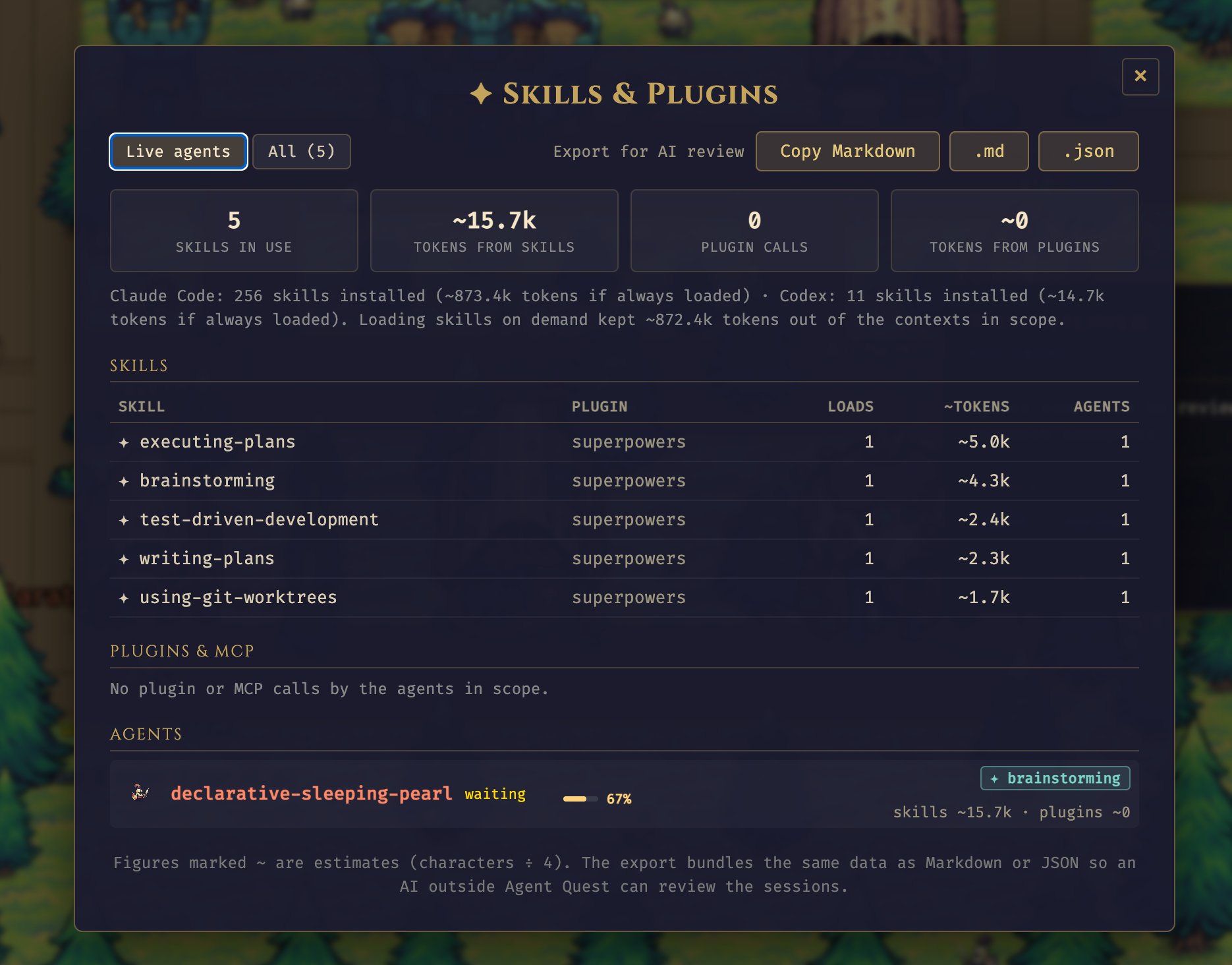
The new Skills & Plugins panel lists skills detected in the selected sessions, load counts and estimated tokens from loaded instructions. Use Live agents or broaden the scope with All. Each hero’s panel shows the figures for its own session.
The installed-skill inventory also updates in the open dashboard: when the periodic scan detects new skills or plugins, the server sends the changes without requiring a page refresh.
In the screenshot, five loaded skills account for about 15.7k tokens. The Claude Code inventory contains 256 skills, estimated at 873.4k tokens if loaded all at once. That second number is a hypothetical comparison with the detected inventory, not context already consumed. Installing many skills does not mean inserting all their instructions into every conversation.
Figures marked ~ use a characters-divided-by-four estimate. They help identify large instructions or loads worth examining, but are not exact tokenizer counts. Loaded skill totals do not account for the entire context either: messages, file reads, results and other instructions also contribute.
A long skill can be useful for a complex task. The practical questions are whether its instructions were relevant, whether it was loaded repeatedly and whether a shorter version could have provided the same help.
Plugins and MCP: how much text comes back?
For plugins and MCP servers, Agent Quest shows detected calls and estimated result tokens. This helps reveal tools that return large amounts of text: a narrower search, a filter or a smaller page of results might reduce their impact on the conversation.
The supplied example shows zero calls within the selected scope. That does not mean there are no installed plugins, nor does it measure the full cost of their definitions. The table concerns calls and responses observed in supported logs.
Understanding what stays with subagents
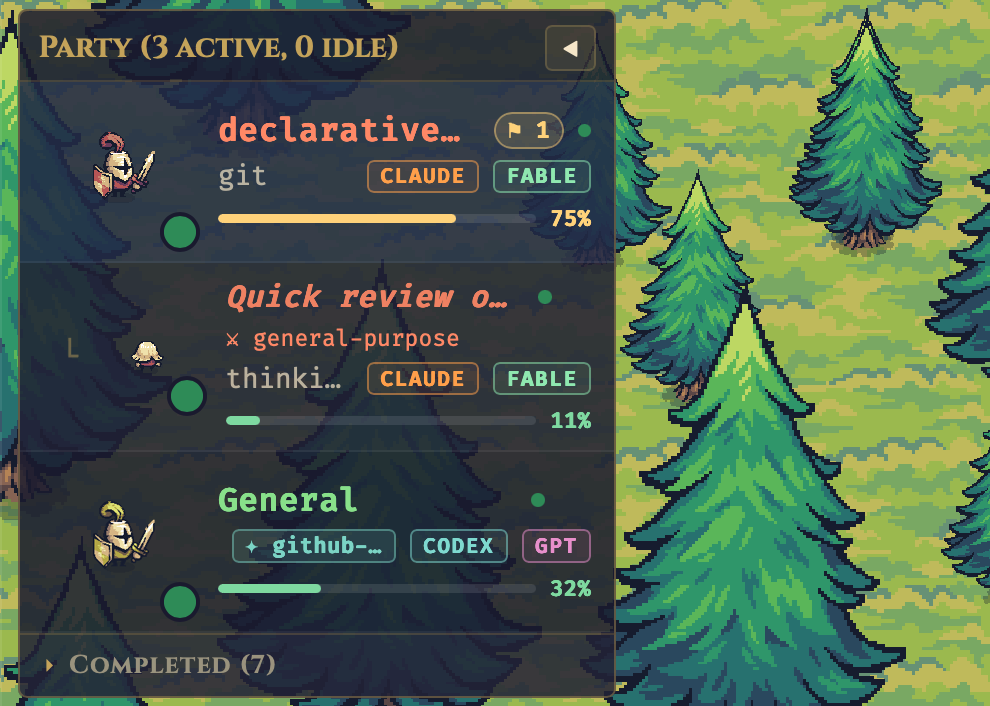
Delegation is easier to follow in the village too. Subagents are smaller, share their parent’s colour and nest beneath it in the Party Bar. A SUBAGENT badge and a parent reference make the separate sessions easier to recognise.
The main agent’s Delegation section compares its children’s context peaks with estimated returned text. In the parent screenshot, Processed by them is about 280.1k tokens, roughly 269 tokens were returned and about 279.8k stayed outside the main conversation.
In this release, “Processed by them” is the sum of child context peaks. “Kept out of this context” subtracts returned tokens from that sum, with a minimum of zero. This indicates how delegated work is isolated; it does not measure total processed tokens or money saved.
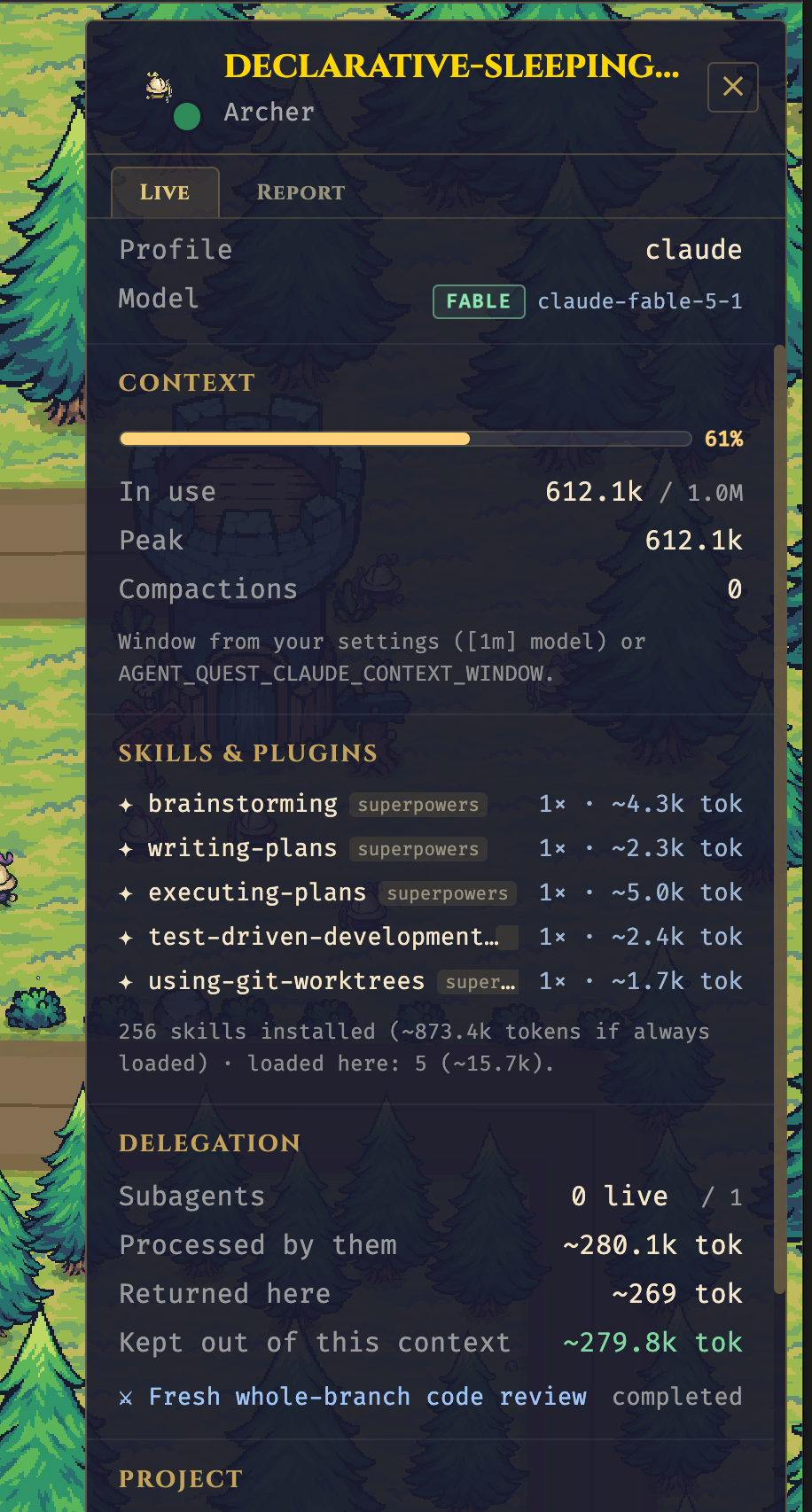
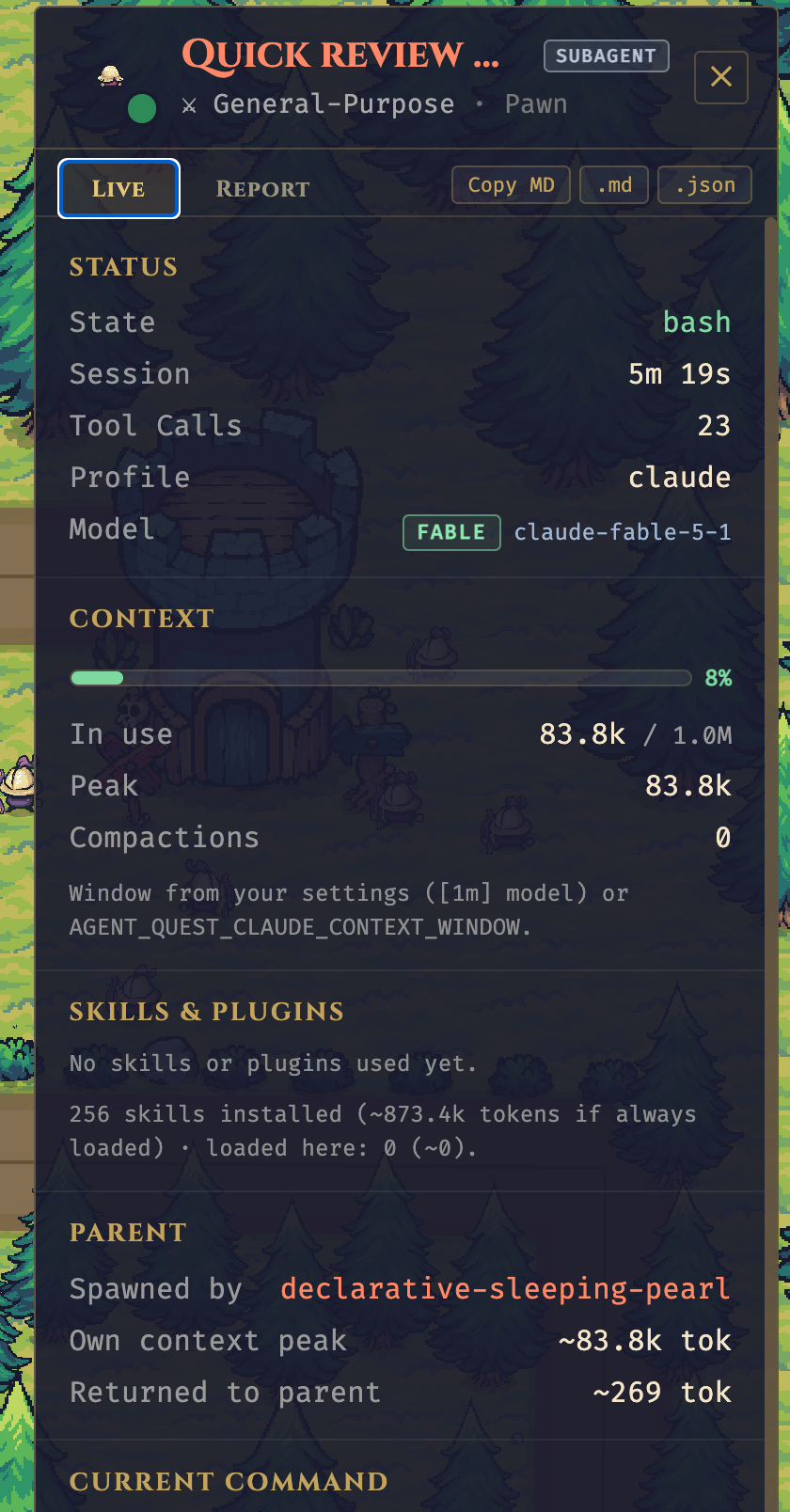
The two screenshots capture different moments: the subagent’s detail panel shows an 83.8k peak. They should not be added together or treated as a synchronised snapshot. A short result can keep the main context smaller, but its usefulness still depends on the assignment.
Export a report for another AI to review
The hero panel provides Copy MD, .md and .json buttons. The fleet panel also offers Copy Markdown for its selected scope.
Markdown includes session facts, context, activity, skills, plugins, delegation, the last message and review questions. JSON provides structured data and tool-call counts without raw tool inputs. This is a report of the observed state, not a full transcript: some Markdown text is truncated, and aggregate counts cannot always reconstruct a sequence of file reads.
- Open the hero you want to inspect, or choose a scope in Skills & Plugins.
- Copy Markdown or download your preferred format.
- Read the file before sharing it: local paths, task text and the last message may be included. Remove anything you do not want to share.
- Give the report to another AI alongside the original objective and, when needed, the work to be checked.
Try this request:
Review this Agent Quest report against the session’s objective. Separate observed data, estimates and missing information. Identify skill loads or plugin results worth checking without automatically treating them as waste. Assess whether delegation and the size of returned results were appropriate. Do not infer financial savings or task success from token counts alone. Suggest three concrete improvements and state what additional evidence you need.
The report makes a review easier to start. Establishing whether the work succeeded also requires the actual output, any tests and the task requirements.
Other changes and how to update
Version 0.3.0 supports the item_completed log format used by Codex 0.160 and later while retaining the legacy format. It also recognises Codex subagents and their parents, SKILL.md reads and MCP calls. The activity feed adds Skill and Compact entries and a Skills filter.
Codex’s window size comes from the data Codex records. For Claude Code, Agent Quest 0.3.0 uses configuration and inference: a [1m] suffix, an inferred 1M window once usage exceeds 200k, or a 200k default. You can override it with AGENT_QUEST_CLAUDE_CONTEXT_WINDOW. These are Agent Quest’s resolution rules, not a guarantee of every model’s capacity; inspect the window source shown in the panel.
For an installed copy following origin/main with the launcher command available, run agentquest update and restart Agent Quest. This updates to the current main branch, which may move beyond 0.3.0. For an exact version or a development checkout, follow the repository’s instructions and tags.
Sources: release and source code at tag v0.3.0, checked on 15 October 2026. Release screenshots supplied by Fulvio Scichilone. Release 0.3.0 · Delegation · Export · Context window