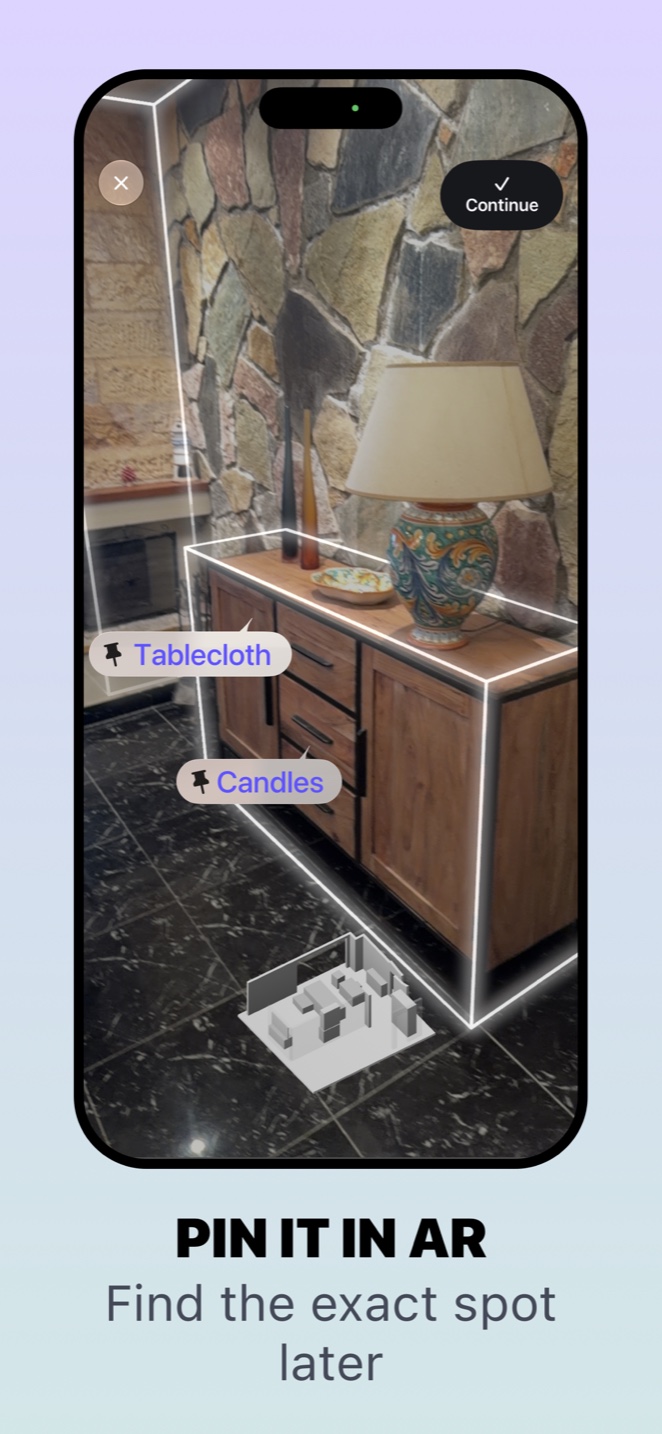
Save the spot while the object is there
Create an item record and save its location. On a compatible device, follow the AR flow to record the environment and place the pin where you are putting the object. Take time to make the reference useful: the correct cabinet or part of a shelf matters more than a quick, approximate marker.
Keep a written location and a photo too. “Sideboard, lower drawer” explains the destination even when you cannot use the camera. AR adds a spatial reference to that information; it does not remove the need for a recognisable item record.
Return to the same environment
When you need the item, open its AR view in the place where the point was saved. The device needs to recognise the environment before it can place the marker meaningfully. Move the camera steadily and give it a view of the surrounding room, following the app’s instructions.
Lighting, a large change in furniture or a very different view can make recognition harder. If the point cannot be recovered, use the saved photo and location rather than treating an uncertain camera view as a precise instruction.
Understand what the marker represents
A pin beside a drawer marks the saved position. It does not see through furniture, detect an object behind a closed door or track it as it moves. If someone puts the item elsewhere, the record needs updating.
That makes AR particularly interesting for things with a stable storage spot: an occasional-use tool, seasonal supplies or an accessory tucked inside a cabinet. You are preserving a location that might otherwise be difficult to describe later.
Start with one easy-to-recognise spot. Save a pin, leave the area, then return and try to recover it. This short practice helps you understand both the convenience and the limits before you rely on it for an important item. Availability depends on device and software compatibility.
Using Whery for this task
You can apply these steps to the records you save in the app. Check the name and location before relying on a search result.
Download Whery on the App StoreFree download, with limits in the free version and optional Premium purchases. Features depend on your device and software.