hotel-xenia
  • Home
  • DSLR Camera App
  • Bright Filters
  • Whery
Scopri Whery: ritrovare le cose, senza complicarsi la vita
Settembre 19, 2026

Scopri Whery: ritrovare le cose, senza complicarsi la vita

Whery

GuideEnglish
Whery / Guide

Scopri Whery: ritrovare le cose, senza complicarsi la vita

Il passaporto in un cassetto. Un caricatore di scorta in una scatola. Hai scelto un posto sensato, ma ora non ricordi quale. Whery trasforma l’iPhone in una memoria pratica per gli oggetti che riponi: unisce AI sul dispositivo e realtà aumentata a un gesto semplice, salvare dove hai messo qualcosa per ritrovarlo quando serve.

Bastano una frase o una foto

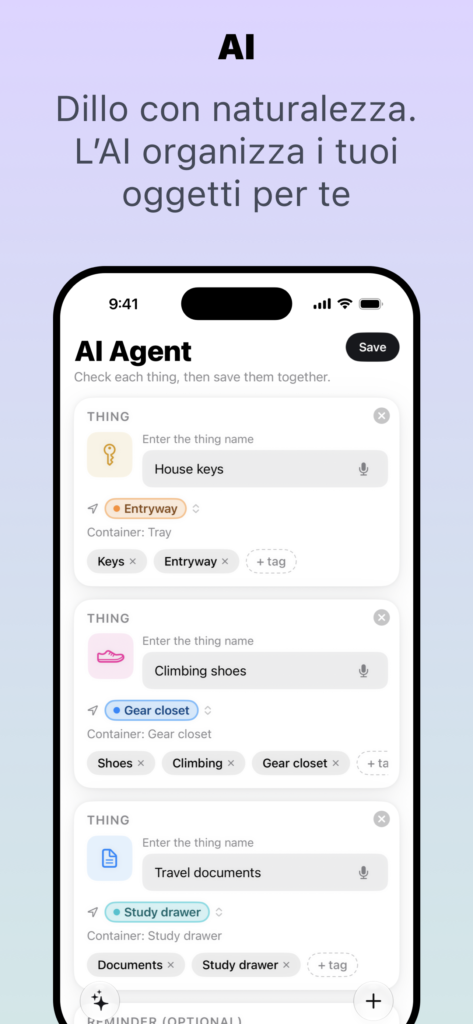
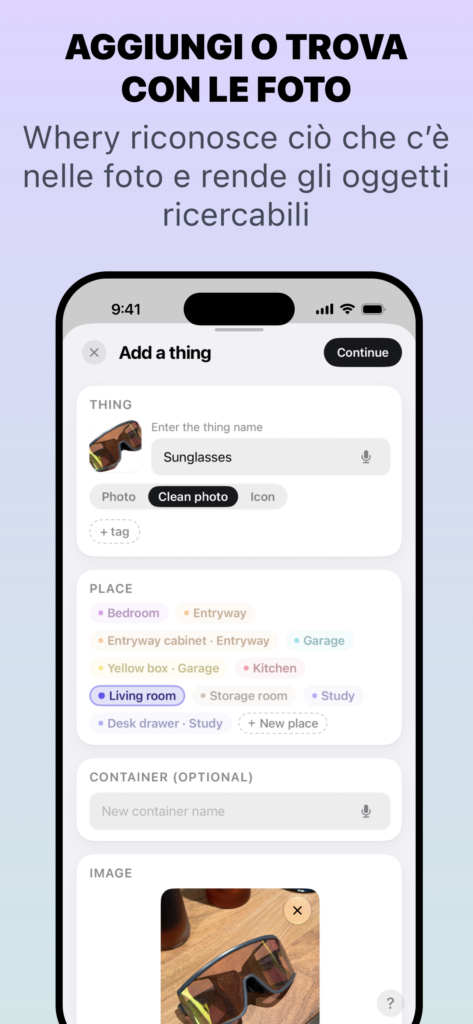
Puoi dire o scrivere «Ho messo il passaporto nel cassetto dello studio», oppure fotografare un oggetto. Whery ti aiuta a trasformare queste informazioni in una scheda con oggetto e posizione. Sui dispositivi compatibili, l’AI può riconoscere più oggetti e luoghi nella stessa frase: riporre tre cose non significa compilare tre schede da zero. Controlli quelle proposte, correggi se necessario e salvi.

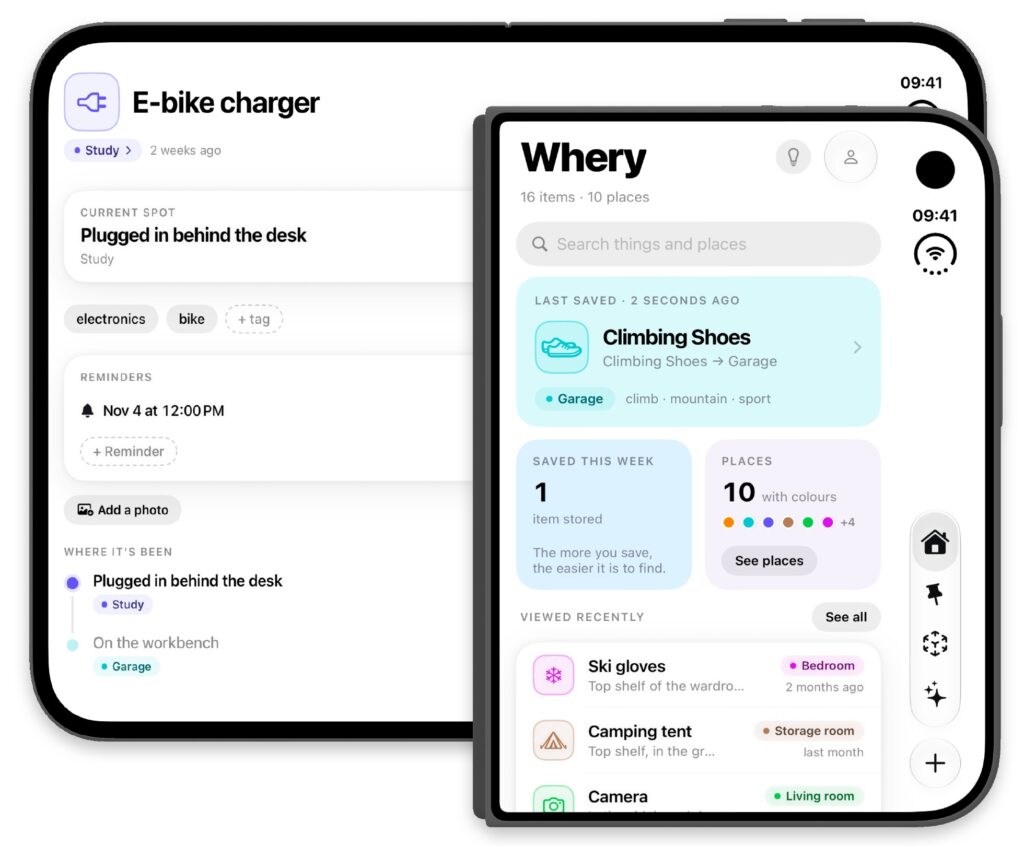
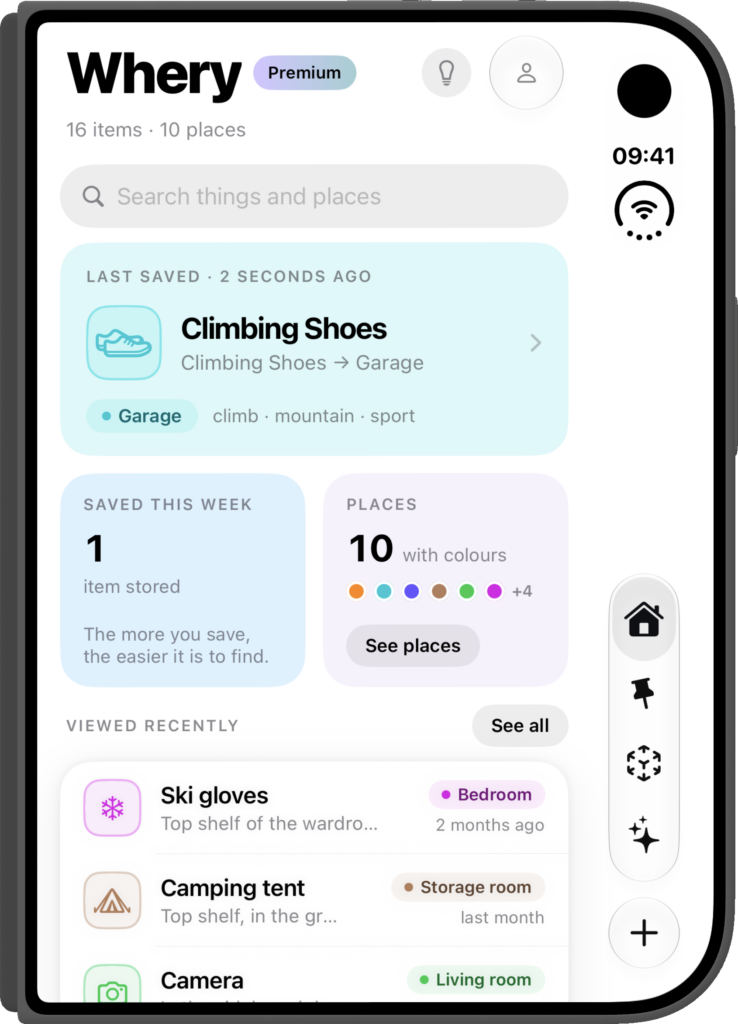
Quando ti serve qualcosa, lo cerchi con parole tue. Whery combina ricerca per parole, significato e foto per aiutarti a recuperare la scheda anche se non ricordi il nome preciso. Non occorre conoscere la tecnologia: quello che ti interessa è vedere l’oggetto, il luogo e il dettaglio utile a ritrovarlo.

Torna al punto giusto, oppure guidaci qualcuno

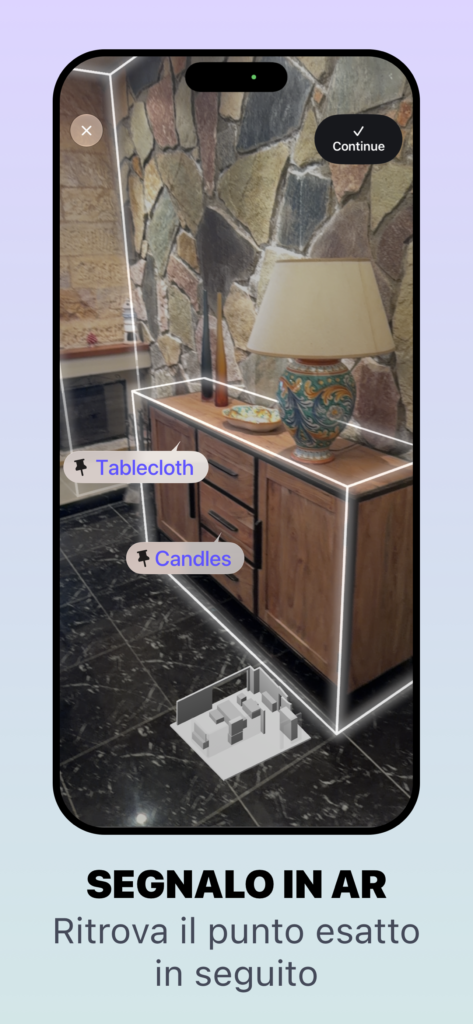
Un pin facoltativo in realtà aumentata indica la posizione che hai registrato nella stanza. Quando Whery riconosce nuovamente lo stesso ambiente, può guidarti a quel punto, anche se si trova dentro un cassetto, un mobile o una scatola.

Sei già fuori e ti serve qualcosa da casa? Condividi la scheda con chi è rimasto lì. Aprendola in Whery, potrà vedere la foto di riferimento, leggere la posizione e usare i dati AR salvati su un dispositivo compatibile. Così la conversazione «No, l’altro cassetto» può diventare un po’ più breve.

Funzioni avanzate, una piccola abitudine quotidiana

Whery è disponibile per iPhone, iPad e Apple Watch. Siri, Spotlight, Comandi Rapidi e widget rendono le informazioni salvate più accessibili. L’AI gira sul dispositivo e iCloud personale mantiene sincronizzata la raccolta. Non serve creare un account Whery.

Le funzioni AI e AR dipendono da hardware e software compatibili; le risposte AI richiedono Apple Intelligence. Whery ricorda posizioni registrate: non può trovare qualcosa mai salvato né seguirlo quando viene spostato.

Parti da un oggetto che cerchi spesso. Salva dove lo metti oggi e chiedilo a Whery quando ti servirà di nuovo.

Scarica Whery gratis su App Store

Download e uso gratuiti, con acquisti Premium facoltativi. La disponibilità delle funzioni dipende da dispositivo e software.

← Tutte le guide Whery

I pin AR indicano posizioni registrate nella stanza.
© Fulvio ScichiloneWheryPrivacySupport
Meet Whery: a simple way to remember where things are
Settembre 19, 2026

Meet Whery: a simple way to remember where things are

Whery

GuidesItaliano
Whery / Guides

Meet Whery: a simple way to remember where things are

A passport in a drawer. A spare charger in a box. You chose a sensible place, but now you cannot remember which one. Whery turns your iPhone into a practical memory for the things you put away, combining on-device AI and augmented reality with a simple routine: save it, ask for it, find it.

Start with a sentence or a photo

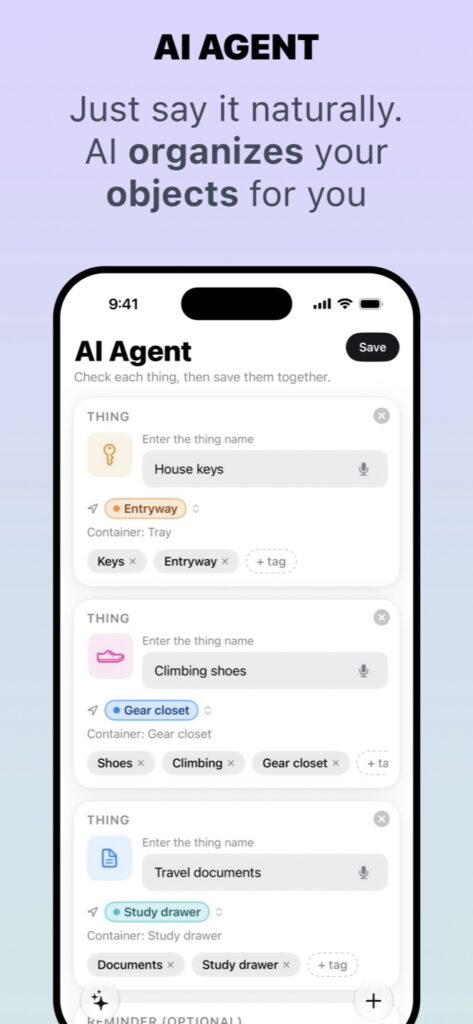
Say or type “I put the passport in the study drawer”, or take a photo of an object. Whery helps turn that information into a saved item and location. On supported devices, its AI can separate several objects and places from one sentence, so putting away three things does not have to mean creating three records from scratch. Check the proposed cards, make any corrections and save.

Later, search in your own words. Whery combines keyword, meaning and photo search to help you find the record, even when you do not remember its exact name. You do not need to understand the technology to use it: the useful result is the object, its place and the detail that helps you find it.

Go back to the spot, or help someone else get there

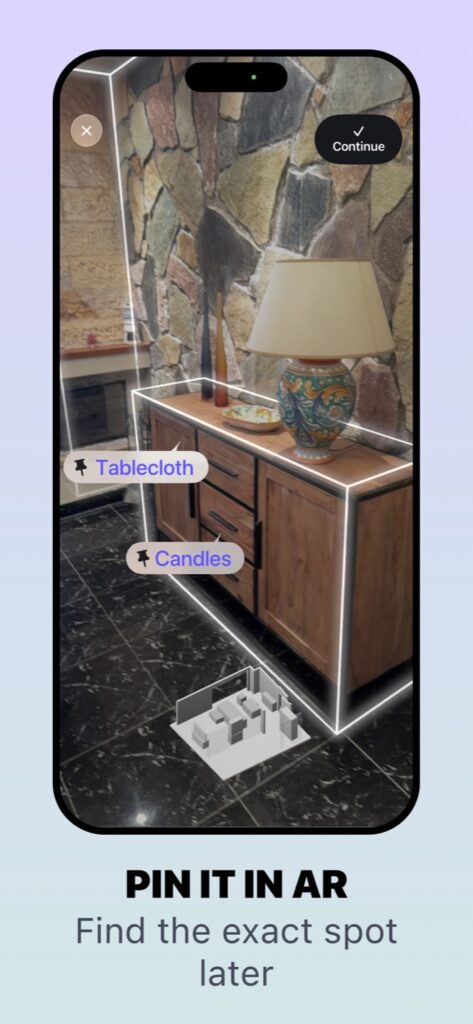
An optional augmented reality pin marks the position you saved in a room. When Whery recognises the same environment again, it can guide you back to that point, including a location inside a drawer, cabinet or box.

Already outside when you realise you need something from home? Share its item card with whoever is there. They can open it in Whery, see the reference photo and written location, and use the saved AR information on a compatible device. That can make “the other drawer” a much shorter conversation.

Advanced features that fit an everyday habit

Whery works across iPhone, iPad and Apple Watch, with Siri, Spotlight, Shortcuts and widgets making saved information easier to reach. The AI runs on the device, and personal iCloud keeps your collection in sync. There is no separate Whery account to create.

AI and AR features depend on compatible hardware and software; AI answers require Apple Intelligence. Whery remembers recorded locations: it cannot find something you never saved or follow an object after it moves.

Start with one object you often search for. Save where you put it today, then ask Whery when you need it again.

Download Whery free on the App Store

Free to download and use, with optional Premium purchases. Feature availability varies by device and software.

← All Whery guides

AR pins mark positions recorded in the room.
© Fulvio ScichiloneWheryPrivacySupport
Copyright Fulvio Scichilone
Made with love in Sicily