Put the new hardware in context
Apple introduced iPhone 18 Pro and iPhone 18 Pro Max with A20 Pro, an updated camera system and iOS 27. The models became available on 18 September 2026. Those are Apple’s announced specifications; they are not a measured claim that Whery runs faster or finds objects more accurately on these phones.
A useful archive begins with clear information. You do not need to catalogue everything you own on the first day, or buy a new phone just to start. Check Whery’s App Store compatibility details for your current device; the published minimum is iOS 26.
Build a collection around your next real task
Choose a task such as preparing for a weekend away. Save your passport, luggage scale and travel pillow, each with its actual storage location. Give similar items distinct names: “my passport” and “child’s passport” are more helpful than two entries called “document”. Add a photo if it makes the item easier to identify.
Use the place hierarchy to retain useful context, such as hallway, cupboard and travel pouch. If you add an AR pin, treat it as an extra reference to a saved position. It depends on recognising the room again; the written place remains valuable when the surroundings have changed.
Check your archive before you need it
Already using Whery? Open it on your new device with the same Apple Account and check that your collection has appeared through private iCloud sync. Allow sync time and inspect a few photos and locations before relying on the new phone. Room-scan sync has its own option, so check that setting if you use AR scans across devices.
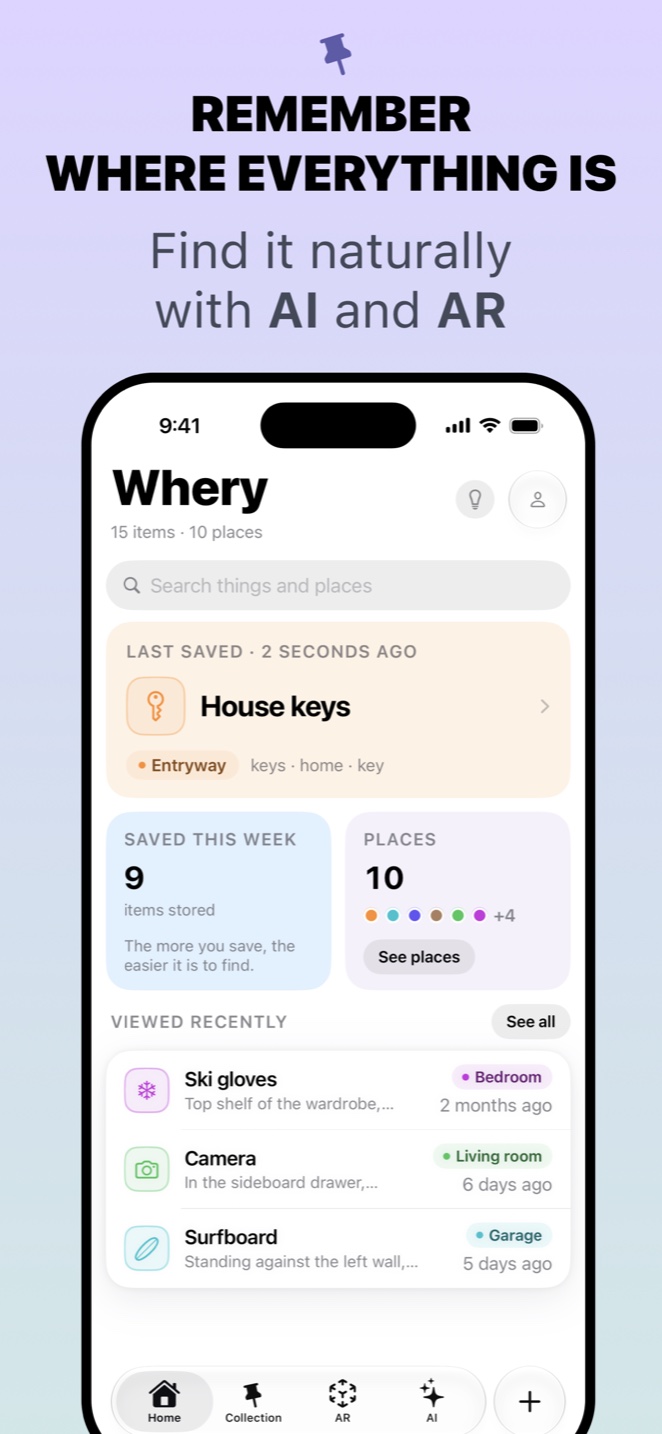
Once your first records are in place, add a Whery widget or try searching through Spotlight. Pick the entry point you will remember to use when putting something away.
Whery downloads free, with optional Premium purchases. Start with the things needed for your next trip, then grow your collection when a new record will save you a real search. The Whery introduction explains the broader save-and-find workflow.
Sources and availability
Facts checked on 20 September 2026. Apple: iPhone 18 Pro; Whery privacy and sync; App Store.
Save your first item today
Whery keeps what you own and where you put it in one searchable place, with text, photos, voice and optional AR pins.
Download Whery free on the App StoreFree to download and use, with optional Premium purchases. Feature availability varies by device and software.