
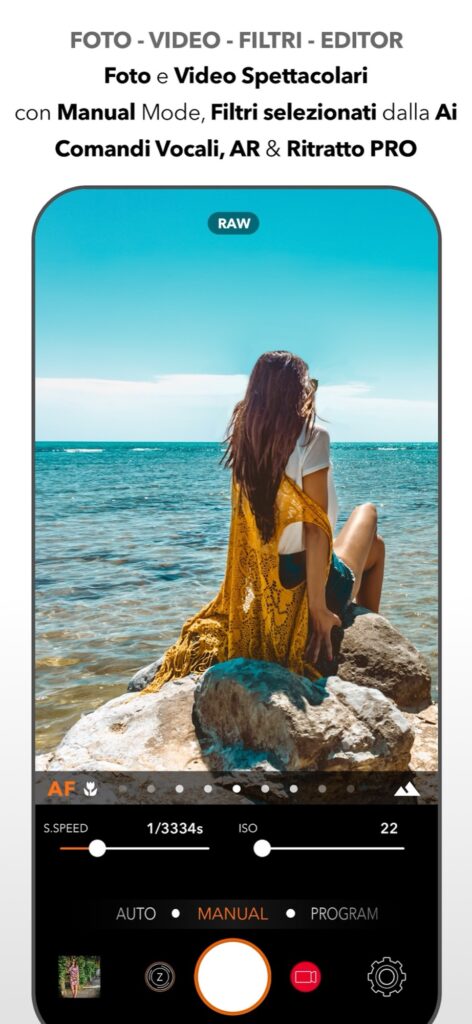
Start with a photo available on the iPad
Choose a photograph in the library accessible to the app and open it in DSLR Camera’s editor. Check Photos permissions if the image is missing. If you took it on your phone, make it available on the iPad through your usual transfer method first.
Do not assume the app automatically synchronizes an editing session between iPhone and iPad. Keep an original copy of the file. Use JPEG or HEIF for this exercise: introducing RAW immediately adds variables that are unnecessary when learning the order of adjustments.
Begin with geometry and exposure
Check whether the horizon is level and whether the crop keeps what matters. Avoid cropping more than needed: a different composition can improve the picture, but a heavy crop leaves fewer pixels.
Adjust overall exposure next. Look at the subject and important bright areas, rather than only the apparent brightness of the screen. Change highlights and shadows moderately. A completely white area in the file will not regain detail simply because you lower the highlights control.
Then adjust color and detail
Change color temperature if a neutral subject has an obvious cast. Preserve the warmth of a sunset if that is part of the image you want. Adjust saturation and vibrance after exposure, using small changes.
Inspect noise and sharpness on a detail, then return to the whole picture. Too much noise reduction can erase texture; excessive sharpening can produce unnatural edges. A larger display helps comparison, but does not automatically make the device a calibrated monitor.
Compare and verify the saved result
Compare the edited image with the original copy in your library. Before saving, ask what you have fixed: a tilted horizon, a dark face or a color cast? If the answer is unclear, reduce the adjustments.
Reopen the saved result and inspect it at the size at which you will share it. Cameras, RAW, LiDAR and other capture features depend on the model. Availability of DSLR Camera on iPad does not mean every iPad has an iPhone Pro’s capture capabilities. This guide concerns editing a photo already available in the app.
Availability and further reading
Based on the App Store feature description and implementation reviewed on 10 October 2026. Screens and availability may vary by version and device.
Paid app; available controls and formats depend on the device.
Continue with the other device guide
All guides Follow the sequence or choose the problem you want to solve. Scheduled lessons become links when published.Your learning path: from capture to editing